
This Tascam Gets No Play, Here’s Why
If you haven’t been to ElectronicaLab recently, you might’ve noticed the suspiciously large empty gap in the audio rack. Why, you might ask? Well, let’s just say our Tascam 133 decided that its ability to play cassettes is no longer functional. Baird asked me to see if I can figure out the root cause, and at first I was reluctant until I saw how disappointed he seemed. So, in order his cure his retro heart, I took it upon myself to dissect it. This turned out to be a much bigger problem than what I anticipated, so I’ll be giving you guys my full rundown/analysis of this big hunk of a unit.
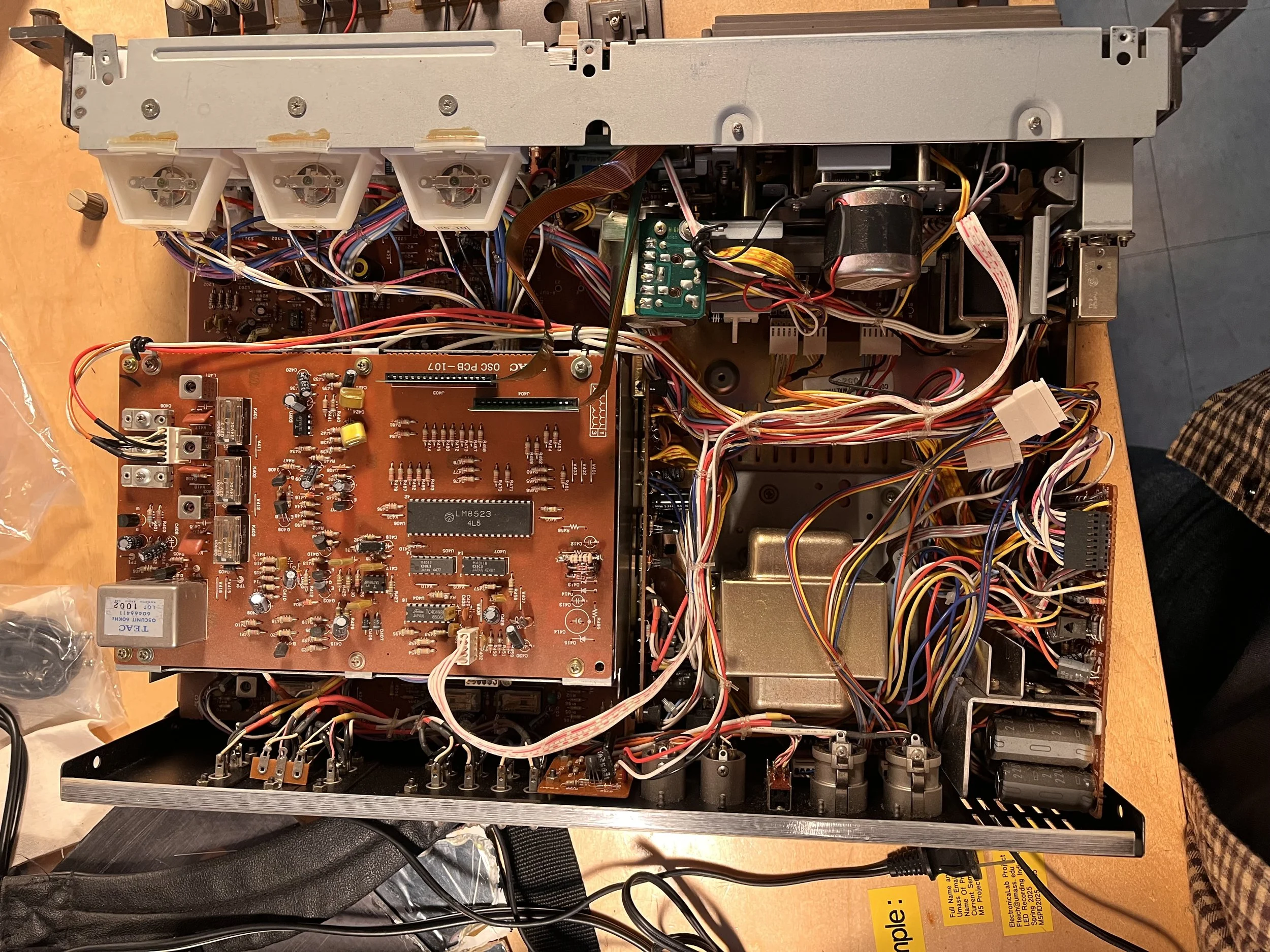
Overhead view of the Tascam 133, here you can see the capstan motor (top right) that drives the control belt which rotates the gears needed to spin the spools of the cassette. There’s also the the main onboard PCBs (bottom left, with three of them stacked) that houses the amplifier circuits, multiplexers, counters, and processors used to time, shape, clean, and boost the analog signals coming in.
There’s so much more to this Tascam than what I can visually show with just one photo, but believe me this is a marvel of technology that I simply couldn’t get enough of once I started doing my research.
Now back to the situation at hand, THE PLAY!
When I popped the front panel I saw the group of wires leading from the buttons to the rest of the system, so I decided to start with the PCB that sends the inputs. I tested the continuity of each individual button. Which if you didn’t know, tests to see if the circuit is closed, which ensures there is a current flowing. My tests resulted in all buttons passing the continuity test of my trusty $15 multimeter. So, if there is continuity among all operational buttons (including play), then the issue is further down the line.
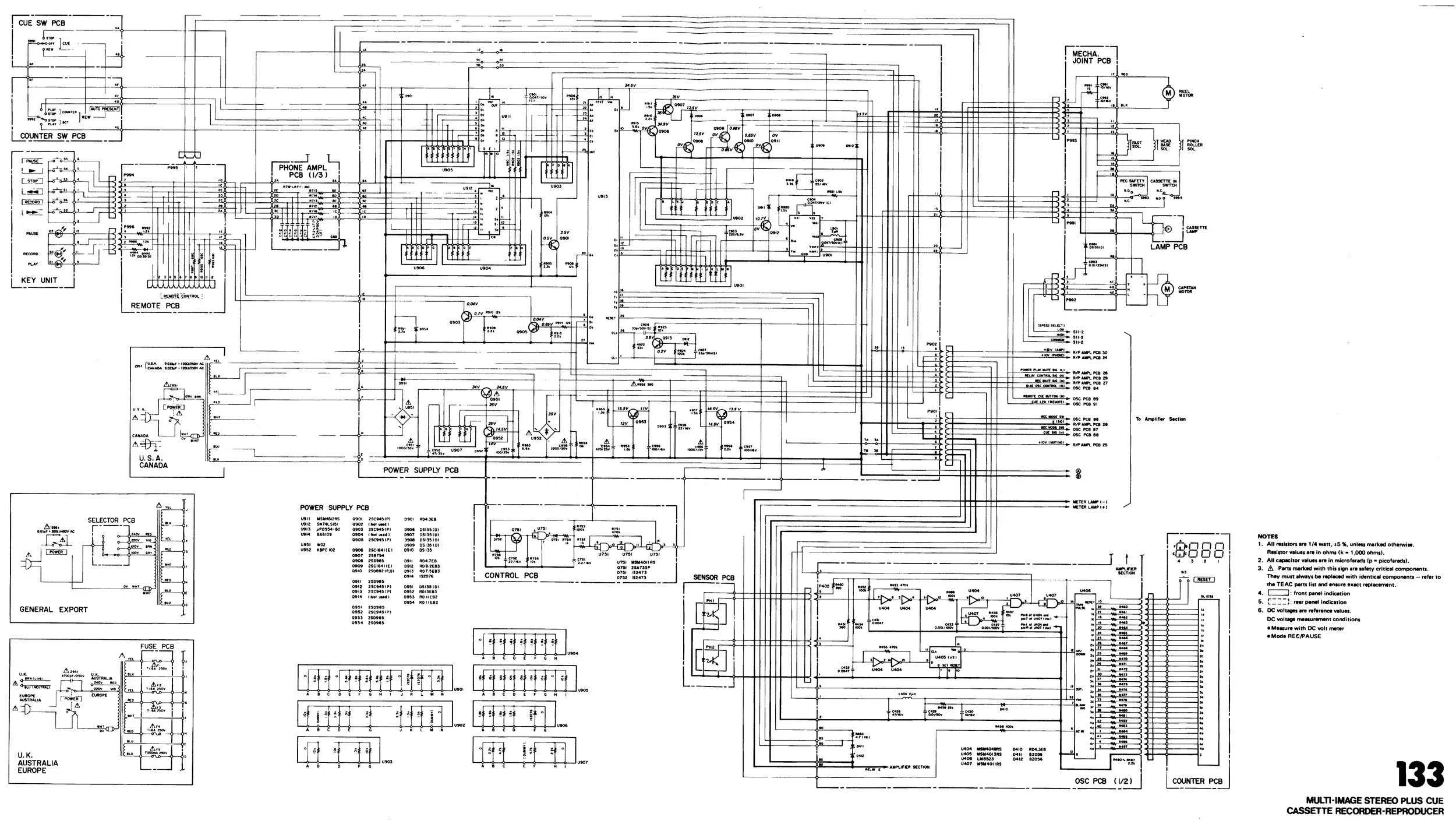
This is the wiring diagram of the Tascam 133
Now, this may seem like a lot but in actuality we only care about these two PCBs for now:
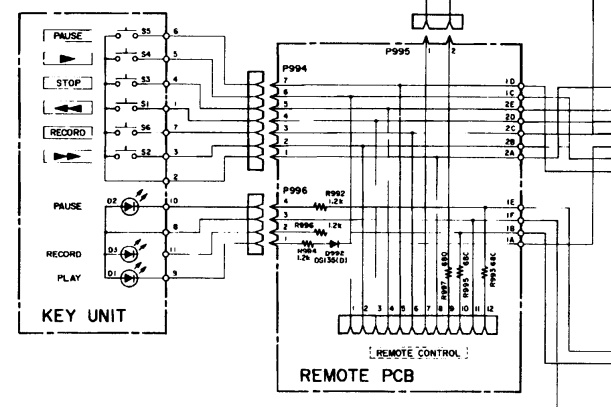
To the left we have the “Key Unit” pcb that I just tested for continuity, and to the right of it is the Remote Control, which is used for controlling the front panel functions and manage the cue tracks. This is my next step once I get my hands on this beauty once again, I’ll ensure all of the wires are properly set and check for continuity for play once more (from what seems to be pin 9). If this also fails and the play button is yet to still function with there still being continuity, I have two options to go from here.
a) I can continue to follow the wire diagram to the next component which would be the Multiplexer of Operating Key Signals, that could then give me more information regarding if the issue is with the routing of the input commands.
b) Pivot into understanding the “cue” functionality of the cassette deck since it is a very crucial operation that sets the counter of the timing control signal which allows it to execute automated transport commands from the front panel. Without the cue being able to properly set the count from the play command, that could explain why the button doesn’t work.
I’ll decide which path I take in the next coming days and I’ll make sure to post once more with whatever findings I come up with!
Thank you for your time, I hope this Tascam can get its play up soon, it really needs it.
See you,
Raffy
